Magnetic Nameplate Multi-Color
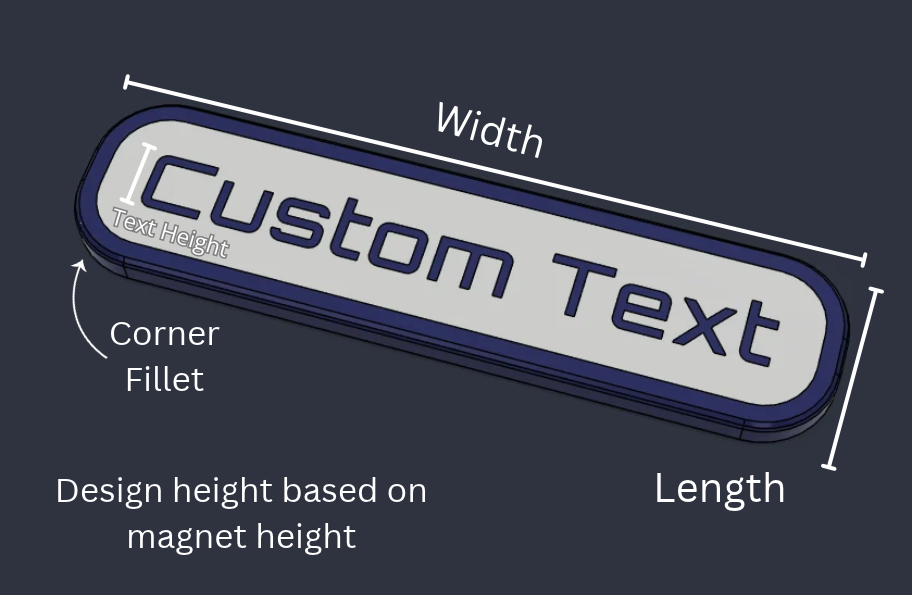
Custom magnetic nameplate 3D printed with your text, plate size, and embedded magnet size for multi-color printers.
Create a custom 3D printed magnetic nameplate with your own text, dimensions, and embedded magnet size.
This multi-color version is designed for printers with automatic color-changing or multi-filament systems such as AMS, MMU, or toolchangers making it easy to print clean raised text and contrasting backgrounds. Great for toolboxes, lockers, shelves, bins, equipment labels, displays, and reusable signs.
Printing Tips
Printing Technology: FDM
Layer Height: 0.2 mm
Perimeters: 4
Infill: 10%
Infill Pattern: Gyroid
Recommended Material: PLA, PETG, TPU
Supports: No
Support Type: None
Notes:
- Check magnet polarity before inserting if the nameplate needs to match an existing magnetic surface or another printed part.
- Magnet fit can vary slightly by printer, filament, and magnet supplier, so test one plate before batch printing.
- No supports should be needed.
Assembly Instructions
Materials Needed:
Disclosure: As an Amazon Associate I earn from qualifying purchases.
Instructions:
- Print the nameplate face-up on the build plate.
- Assign the plate body and raised text to separate colors/material slots in your slicer before printing.
- Insert pause at layer where magnet cavity is covered.
- Insert magnets, ensuring magnet is fully below the print, and resume.
Customize Model
By using the customization software, you agree to our Privacy Policy, Terms of Service, Disclaimer, EULA, and Cookie Policy.
Measure twice, customize once.
Something doesn't look right, or not sure what a setting means?
Download your design
Choose a file below and open it in your slicer. For designs with several components, download every part you need. Original files use the design defaults; your customized files appear here after generation.
Original files use the font saved in the design. To choose an available font for a new result, use Font at the top of Customize. Design default keeps the saved font.
Legal Disclaimer:
The files provided here are for personal, non-commercial use only. Redistribution, modification, or commercial use is not allowed without prior written consent from Lunar Prototypes.
Batch runs are a 3-step flow. You can revisit any step at any time.