LinkStow Modular Drawer
Customizable stackable modular drawers with connector options for 3D printed desktop, workshop, and small parts storage.
LinkStow Modular Drawers are built for the awkward in-between space where fixed-size organizers waste room and loose parts become clutter.
You can customize drawer dimensions, stack modules vertically, and connect them into a more stable storage system for hardware, tools, electronics, printer parts, and other small supplies.
It is a flexible way to build storage around the space you have and the stuff you actually need to store.
Printing Tips
Printing Technology: FDM
Layer Height: 0.3 mm
Perimeters: 4
Infill: 10%
Infill Pattern: Gyroid
Recommended Material: PLA, PETG
Supports: No
Support Type: None
Notes:
Tested in PLA and PETG. ABS and ASA may also work, but the drawer housing spends a long time on the print bed, especially with a 0.6 mm nozzle. Depending on your printer and enclosure, that can increase the risk of warping or print failure.
Assembly Instructions
Materials Needed:
None
Instructions:
- Measure the space where you want to place the drawers.
- Decide how many drawers you want across and how many you want tall.
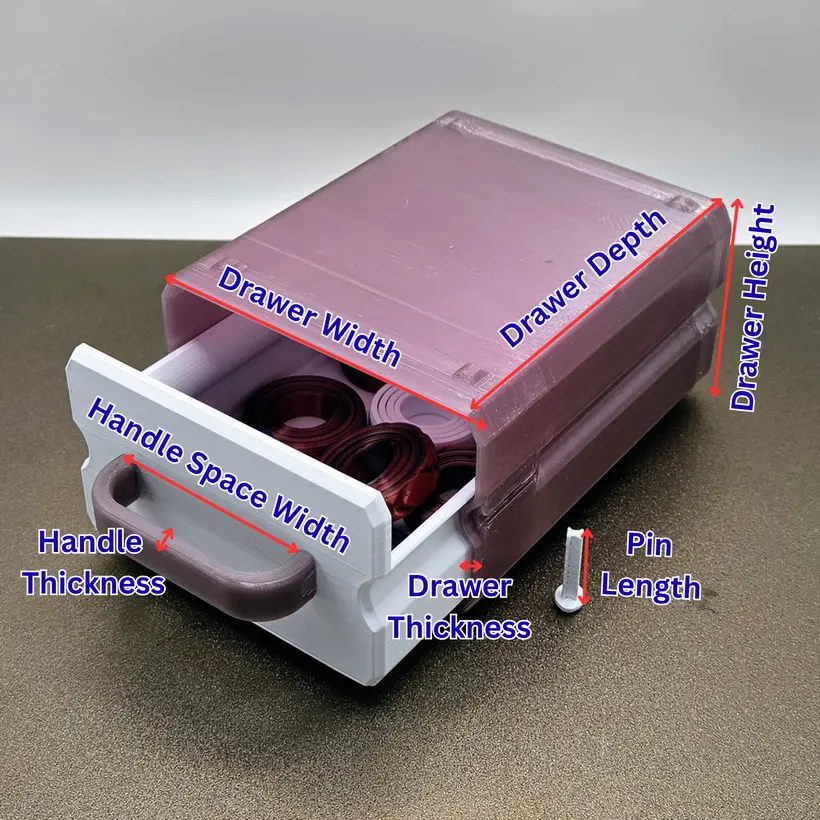
- Divide the available width by the number of drawers across to get the drawer width.
- Divide the available height by the number of drawers tall to get the drawer height.
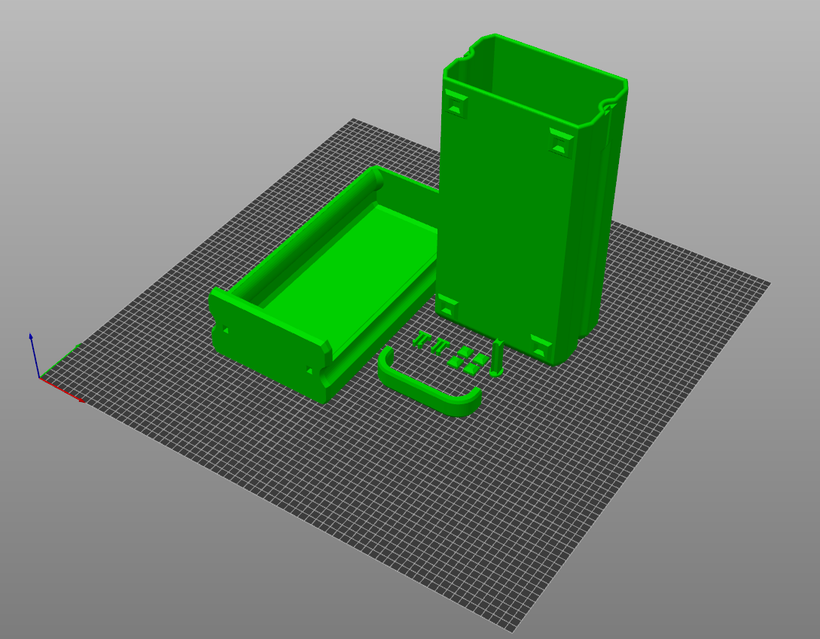
- Print the drawer housing with the back on the build plate, drawer pins flat on the build plate, connection pin with its widest base on the build plate, and drawer and handle in their default orientation.
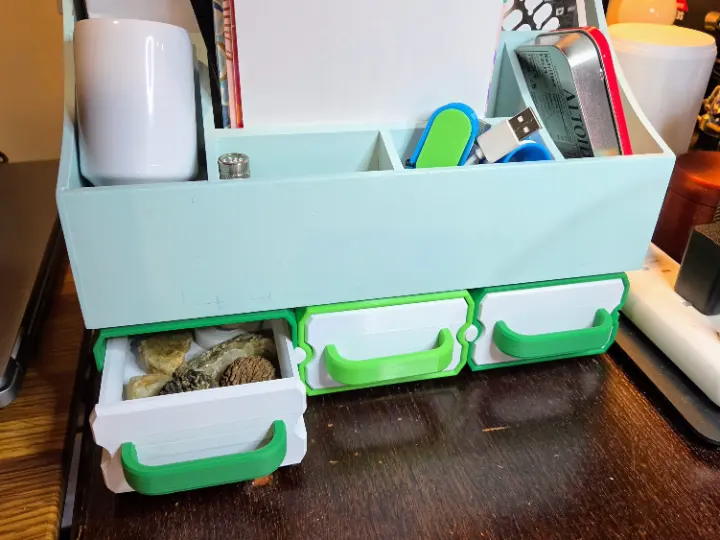
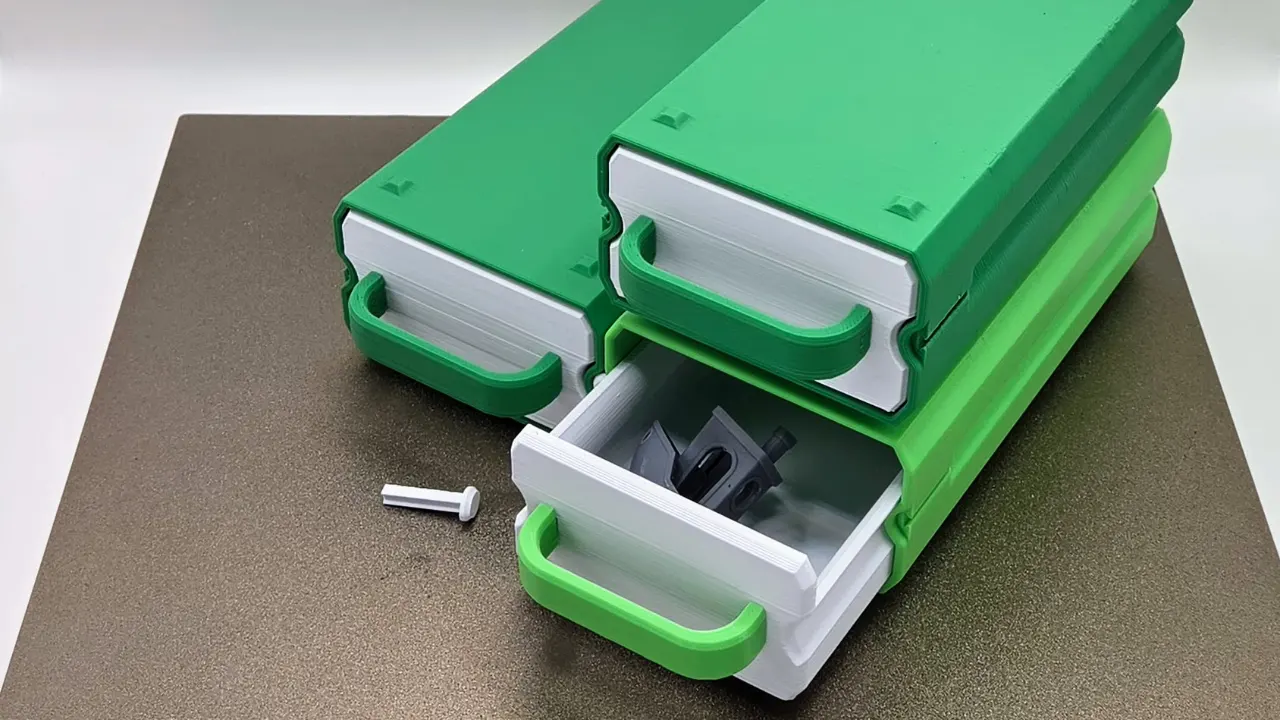
Stacked modules with a drawer open.
Customize Model
By using the customization software, you agree to our Privacy Policy, Terms of Service, Disclaimer, EULA, and Cookie Policy.
Measure twice, customize once.
Something doesn't look right, or not sure what a setting means?
Download your design
Choose a file below and open it in your slicer. For designs with several components, download every part you need. Original files use the design defaults; your customized files appear here after generation.
Original files use the font saved in the design. To choose an available font for a new result, use Font at the top of Customize. Design default keeps the saved font.
Recommended print orientations
Legal Disclaimer:
The files provided here are for personal, non-commercial use only. Redistribution, modification, or commercial use is not allowed without prior written consent from Lunar Prototypes.
Batch runs are a 3-step flow. You can revisit any step at any time.