TPU Slip On Anti-Rattle Bumper
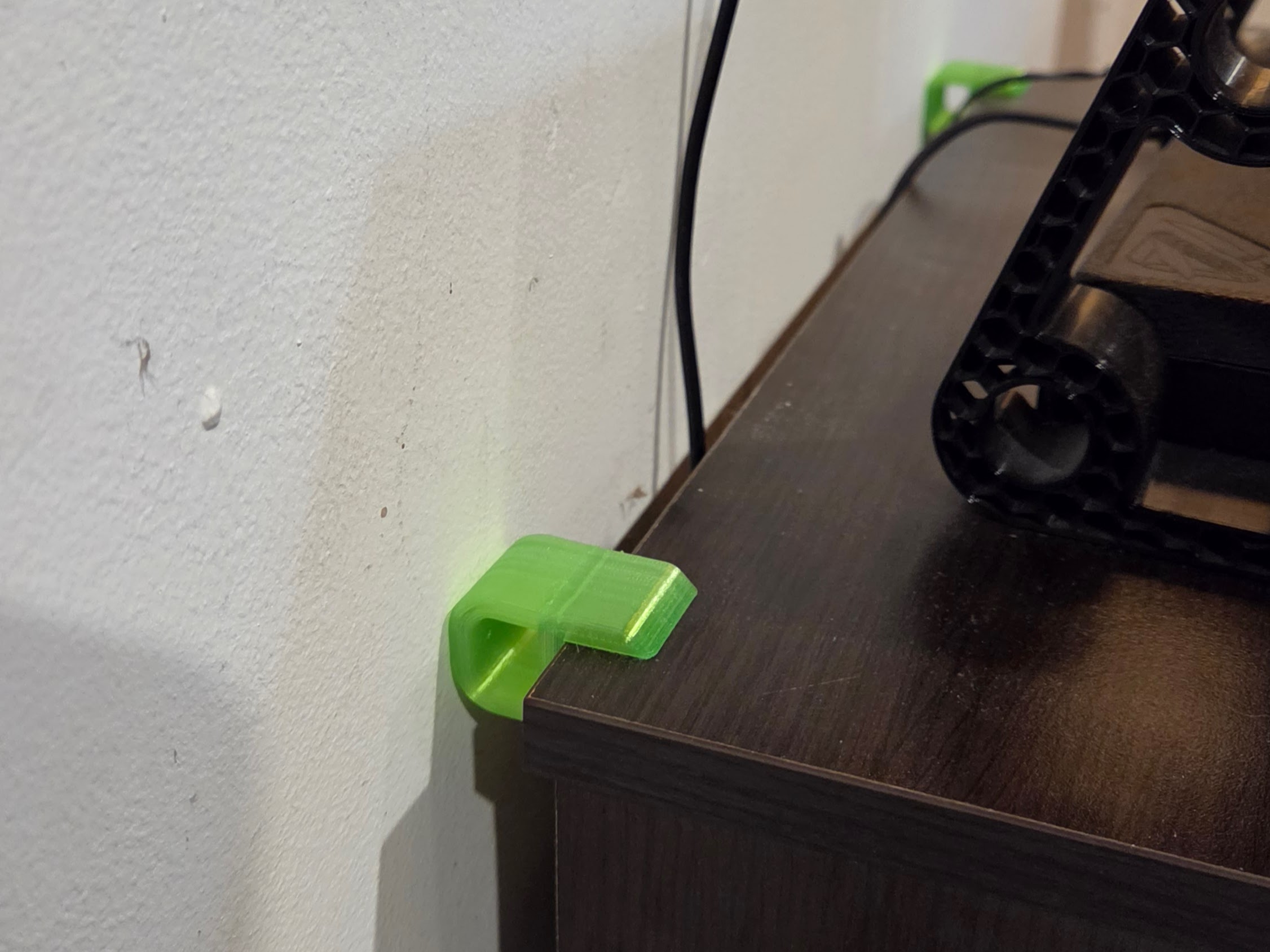
Customizable TPU table bumper that cushions a desk or shelf against a wall to reduce rattles and vibration.
The TPU Table Vibration Dampener is a custom-fit 3D printed bumper for desks, tables, shelves, carts, and small workbenches that sit near a wall. Measure your tabletop thickness, choose the pad thickness and pad height, then generate a flexible TPU part that clips over the edge.
It can work by compression against the wall, or you can add a removable Command-style adhesive strip if the table shifts or the wall contact is inconsistent. Printing with 0% infill may help because it makes the TPU shell more compliant, but the real damping depends on TPU hardness, wall count, pad thickness, preload against the wall, and how much the furniture actually moves.
Printing Tips
Printing Technology: FDM
Layer Height: 0.2 mm
Perimeters: 4
Infill: 0%
Infill Pattern: Gyroid
Recommended Material: TPU
Supports: No
Support Type: None
Notes:
Assembly Instructions
Materials Needed:
None
Instructions:
- Measure the thickness of the table, desk, or shelf edge where the dampener will clip on.
- Enter that thickness into the customizer.
- Choose the pad thickness. Use a thicker pad if there is more gap to the wall or more movement to absorb.
- Choose the pad height. A taller pad gives more contact area against the wall.
- Generate the model and download the file.
- Print in TPU. Start with 0% infill, several walls, and enough top/bottom layers to keep the part enclosed.
- Slide the dampener onto the table edge with the pad facing the wall.
- Push the table lightly toward the wall so the TPU pad is under gentle compression.
- If the part moves around, add a removable adhesive strip between the pad and wall, or between the clip and furniture edge.
- Test by running the printer, appliance, speaker, or other vibration source and adjust pad thickness if needed.
Customize Model
By using the customization software, you agree to our Privacy Policy, Terms of Service, Disclaimer, EULA, and Cookie Policy.
Measure twice, customize once.
Something doesn't look right, or not sure what a setting means?
.webp?h=33eeb7b8c6f39280ba12f8f7f26c27b0)
Download your design
Choose a file below and open it in your slicer. For designs with several components, download every part you need. Original files use the design defaults; your customized files appear here after generation.
Original files use the font saved in the design. To choose an available font for a new result, use Font at the top of Customize. Design default keeps the saved font.
Legal Disclaimer:
The files provided here are for personal, non-commercial use only. Redistribution, modification, or commercial use is not allowed without prior written consent from Lunar Prototypes.
Batch runs are a 3-step flow. You can revisit any step at any time.